How to Scrapbook

ScrapbookingEasy14:356 steps
Also in:Crafts

By CraftingStepByStepPublished Updated

Based on a video by Crafty Concepts with Erin.

The hardest part of scrapbooking is the blank page. Once you have a kit (or a small pile of coordinated paper, cards, and embellishments) and a few photos, the rest is just arranging pieces until they look balanced. Erin from Crafty Concepts walks through that process in 30 minutes - kit to finished spread, no fancy techniques required.

The key insight is that you don't need to invent every element from scratch. Pre-made scrapbook kits (or any pack of coordinated paper) come with cards, journaling tags, punchouts, titles, and backgrounds that already match. Your job is to pick photos that fit the colors and layer the pieces around them.

You'll need a 12x12 scrapbook page (or any size), a coordinated kit of papers and embellishments, 3-6 photos, scissors, a glue runner or adhesive, and about 30 minutes. The result fits in any standard scrapbook album.

Step-by-Step Guide

1

Step 1: Gather your kit and pick a theme

5:20
Step 1: Step 1: Gather your kit and pick a theme

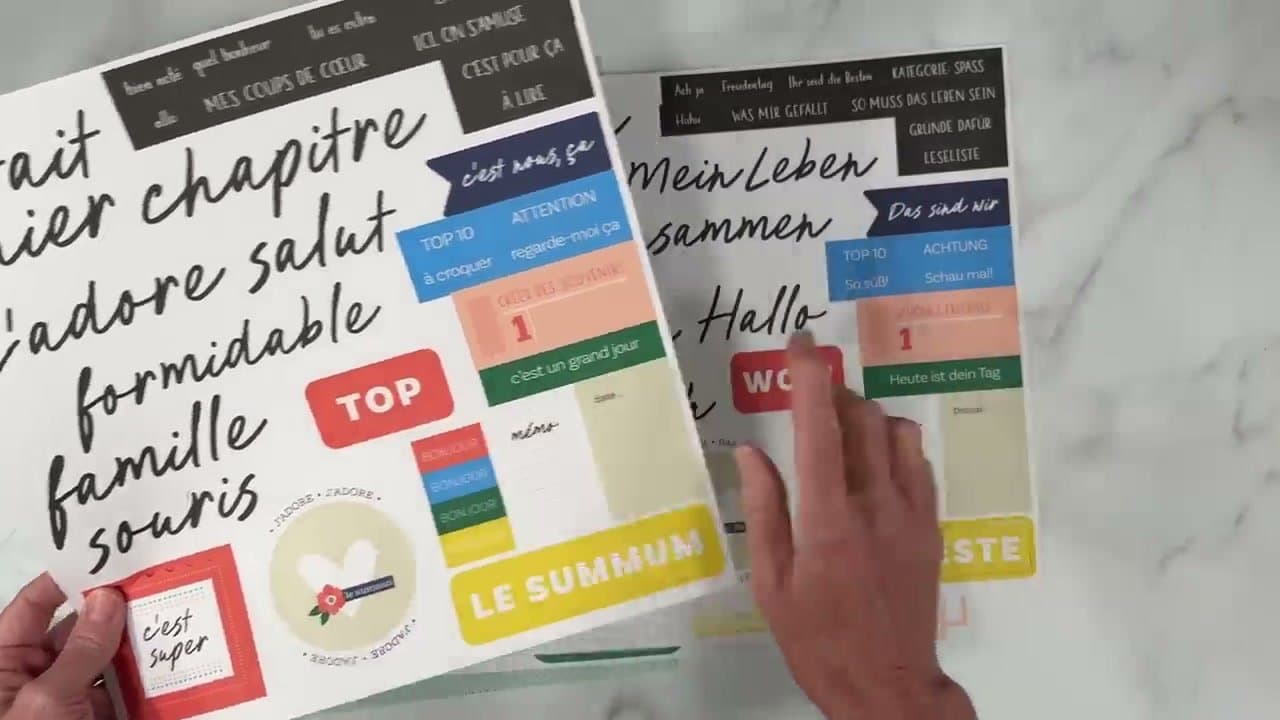
Lay out your scrapbook kit on the work surface and sort the pieces into piles - 4x6 cards for layering, decorative paper strips, journaling tags, punchouts, titles, and stickers. Looking at all the pieces together is what sparks ideas for which photos to pair with them.

While you're sorting, scroll through your photos. Look for an event or moment with 3-6 strong photos that share colors with the kit. The colors in your photos (clothes, backgrounds, props) should match or complement the colors in the kit so the page reads as one composition.

Tip

Don't try to use every piece in the kit. A typical 12x12 spread uses maybe 30% of the kit. The rest goes back in the box for next time.
2

Step 2: Lay your photos on the page

7:30
Step 2: Step 2: Lay your photos on the page

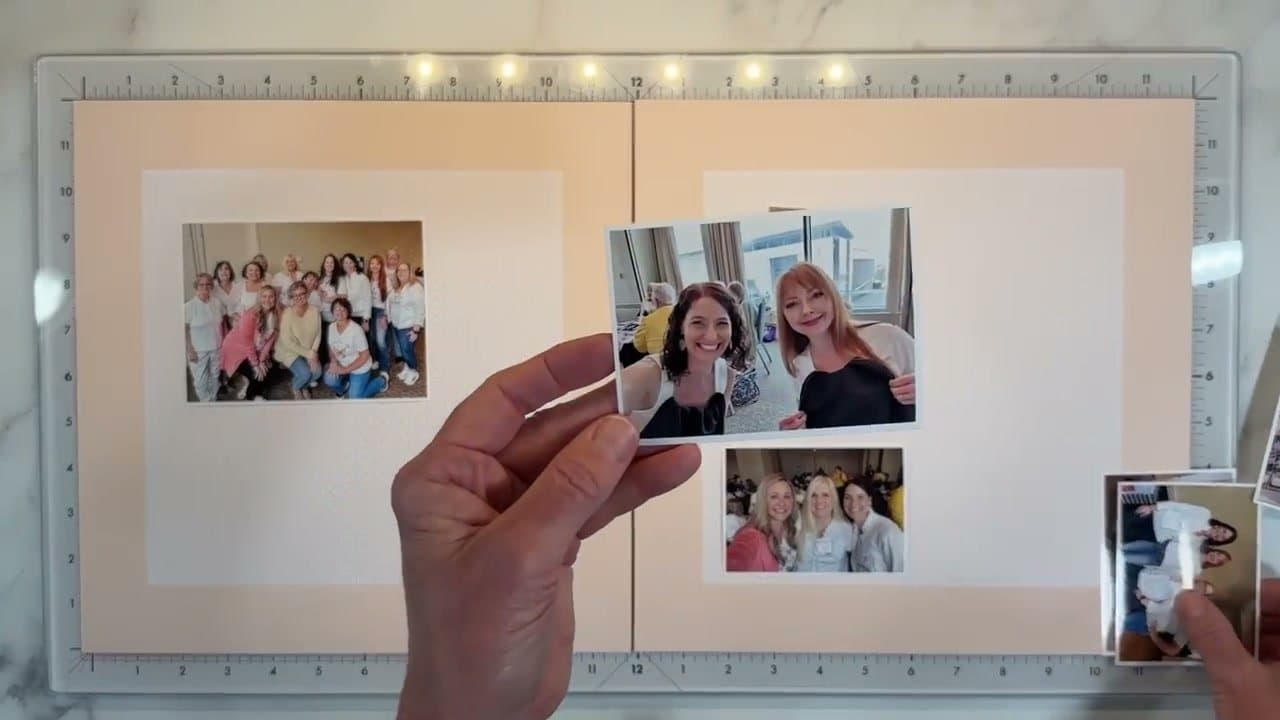
Print your photos in mixed sizes - one larger one as the focal point, and three to five smaller ones at 3x4 or 4x6. Mixed sizes give you flexibility to arrange them in different ways.

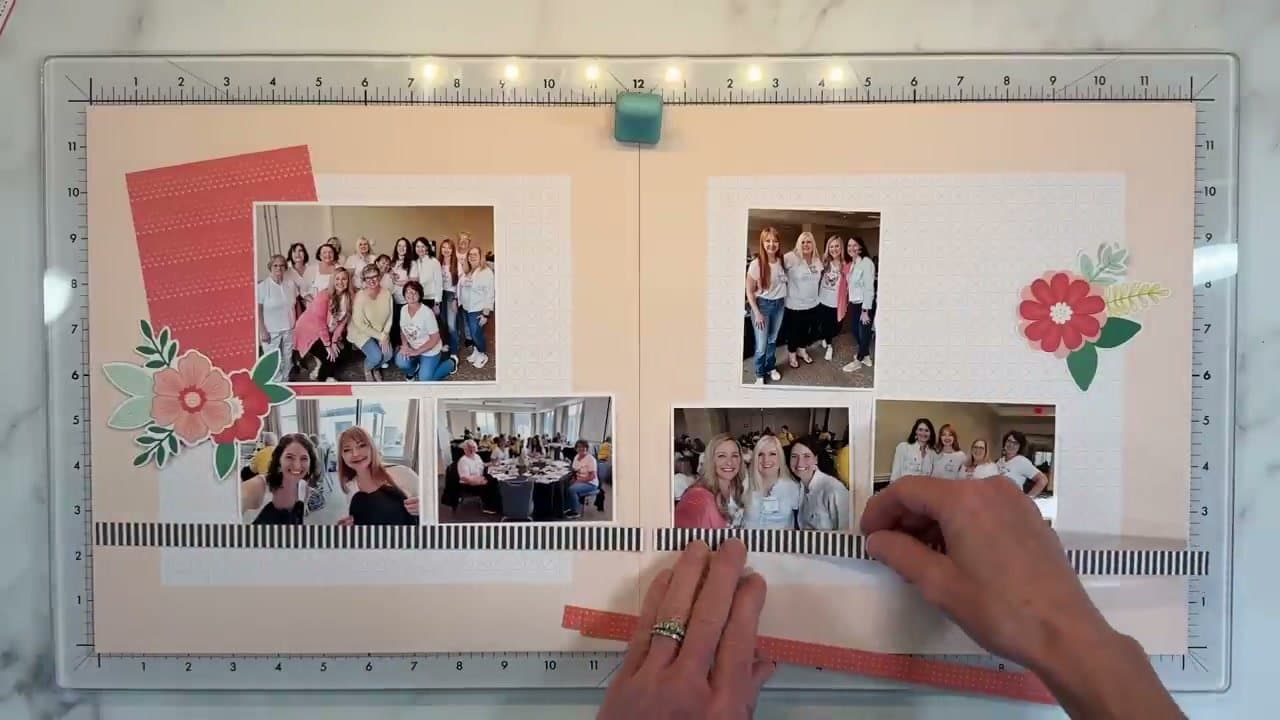
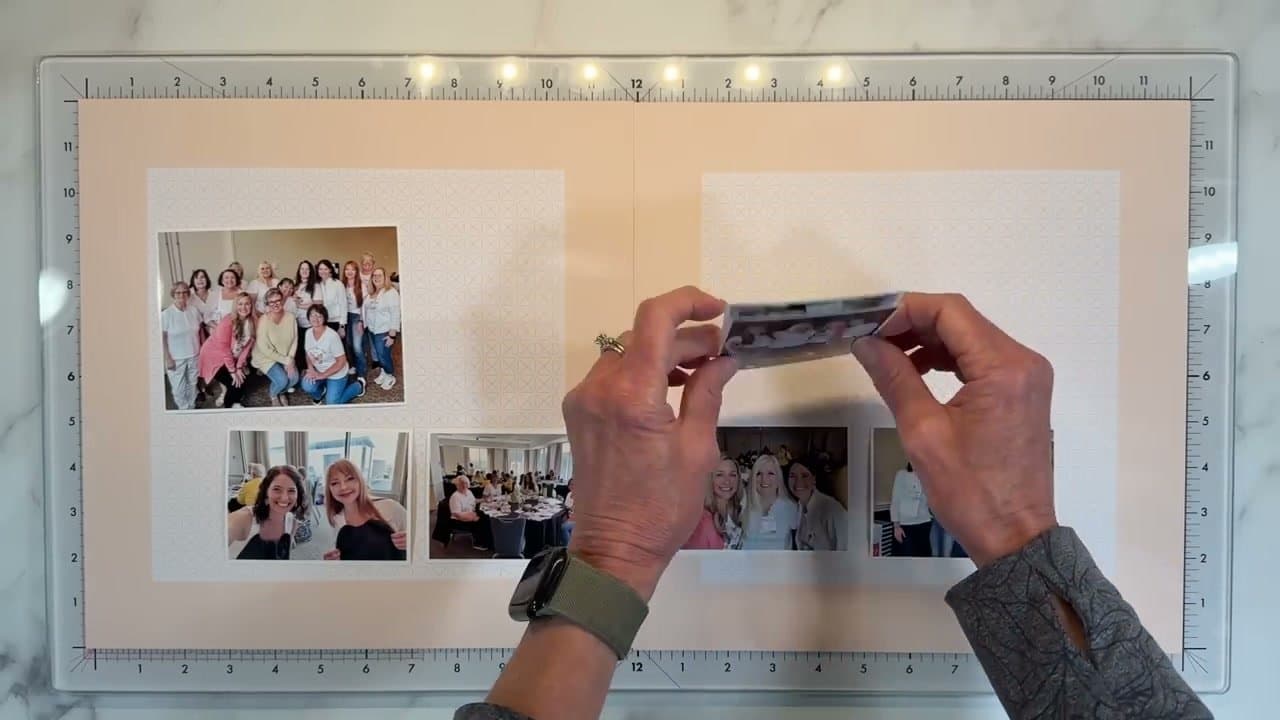
Place the photos directly on the blank page (don't glue anything yet) and shuffle them until the arrangement looks balanced. Common patterns: one large focal photo at the top with a row of smaller photos along the bottom, or a tight cluster in one corner with one large photo as the anchor.

Tip

If you have a single dominant color across multiple photos (like a sweater color that pops in three of them), spread those photos across the layout to carry the color through the page.

Products used in this step

3

Step 3: Settle the arrangement

8:30
Step 3: Step 3: Settle the arrangement

Move the photos around until you stop adjusting. Step back from the page after each move - what looks balanced from a foot away can look crowded up close, or vice versa.

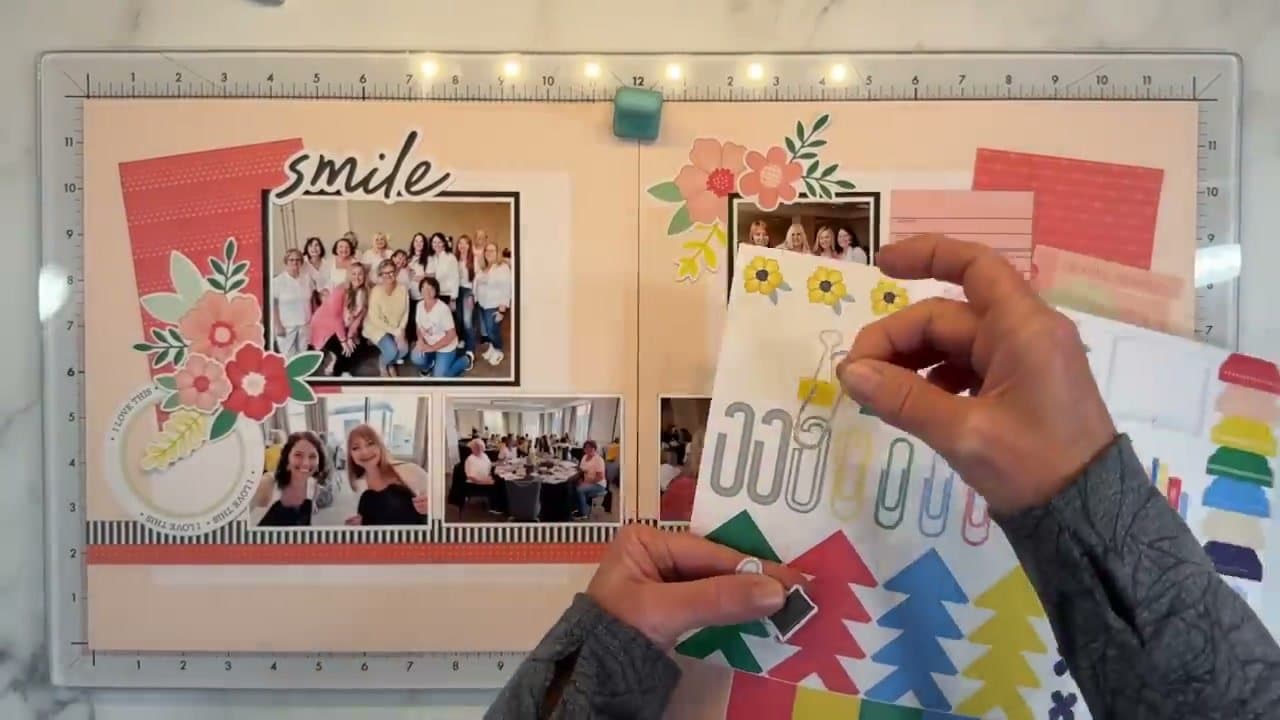
Pick a color palette from the kit at this stage. One or two colors that already appear in the photos work best. Pulling in too many colors makes the page feel busy. Erin uses peachy-pink for this layout because the sweater in the focal photo grounds the page in that color.

4

Step 4: Add layered paper and embellishments behind photos

9:40
Step 4: Step 4: Add layered paper and embellishments behind photos

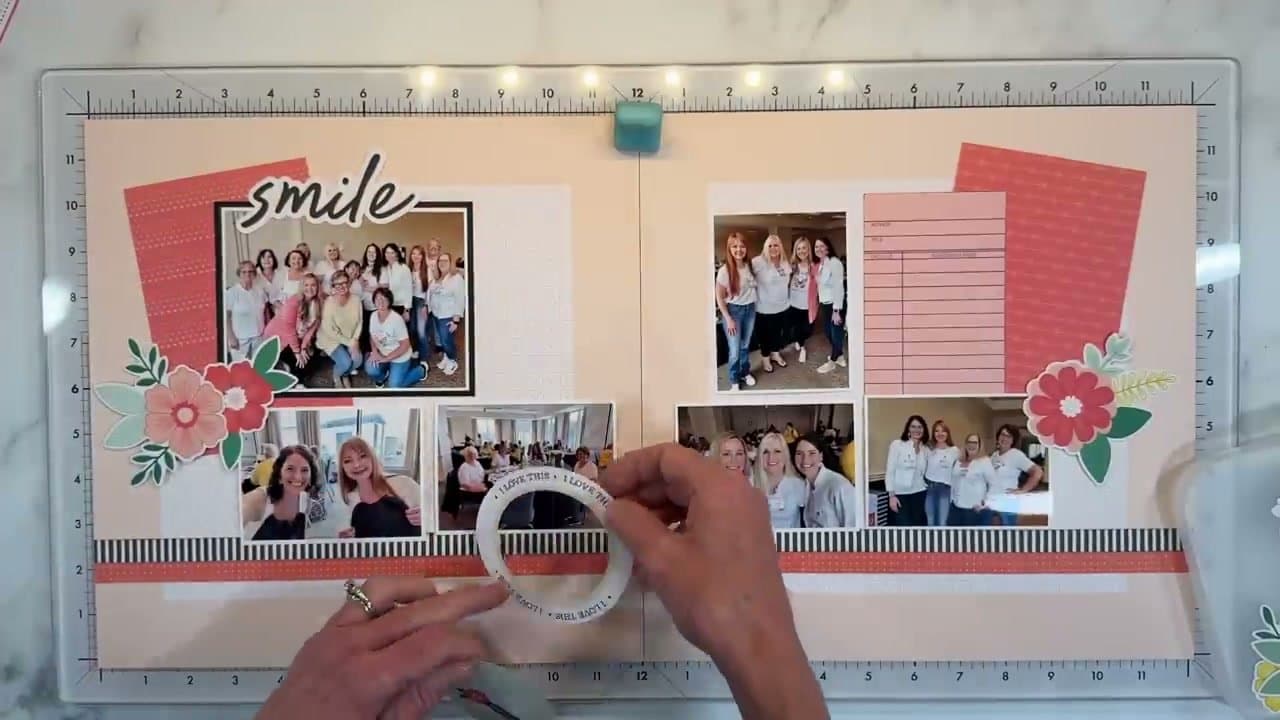
Slide a 4x6 cardstock or pocket card behind your largest photo so the photo sits on a soft border. Layer two or three pieces in graduated sizes for visual depth. Pick papers in your color palette - a coral or pink card behind a peach-themed photo, for example.

Add embellishment clusters at the corners of the focal photo - a few flowers and leaves grouped together. Don't spread embellishments evenly; cluster them in 2-3 spots for visual rhythm.

Tip

Pull a small flower or sprig from the embellishments and tuck it slightly under a photo edge so it looks like the photo is resting on the cluster. Small overlap = professional touch.

5

Step 5: Add a grounding strip across the bottom

11:20
Step 5: Step 5: Add a grounding strip across the bottom

Cut a piece of decorative paper into a long strip and run it across the bottom of the page (or top, or down one side). The strip acts as a visual anchor - all the photos sit on it, and your eye reads the layout as one connected scene instead of floating fragments.

For more contrast, layer two strips: a wider colored strip plus a narrower black-and-white striped or patterned strip on top. The contrast pops the photos forward.

6

Step 6: Add the title and finish with clusters

13:00
Step 6: Step 6: Add the title and finish with clusters

Punch or cut out a title word that captures the moment - 'smile,' 'memories,' the date, the place name. Place it where the eye lands first, usually beside or above the focal photo. Black titles work for any color palette; matching the title to the kit color is fine if the photos already have plenty of contrast.

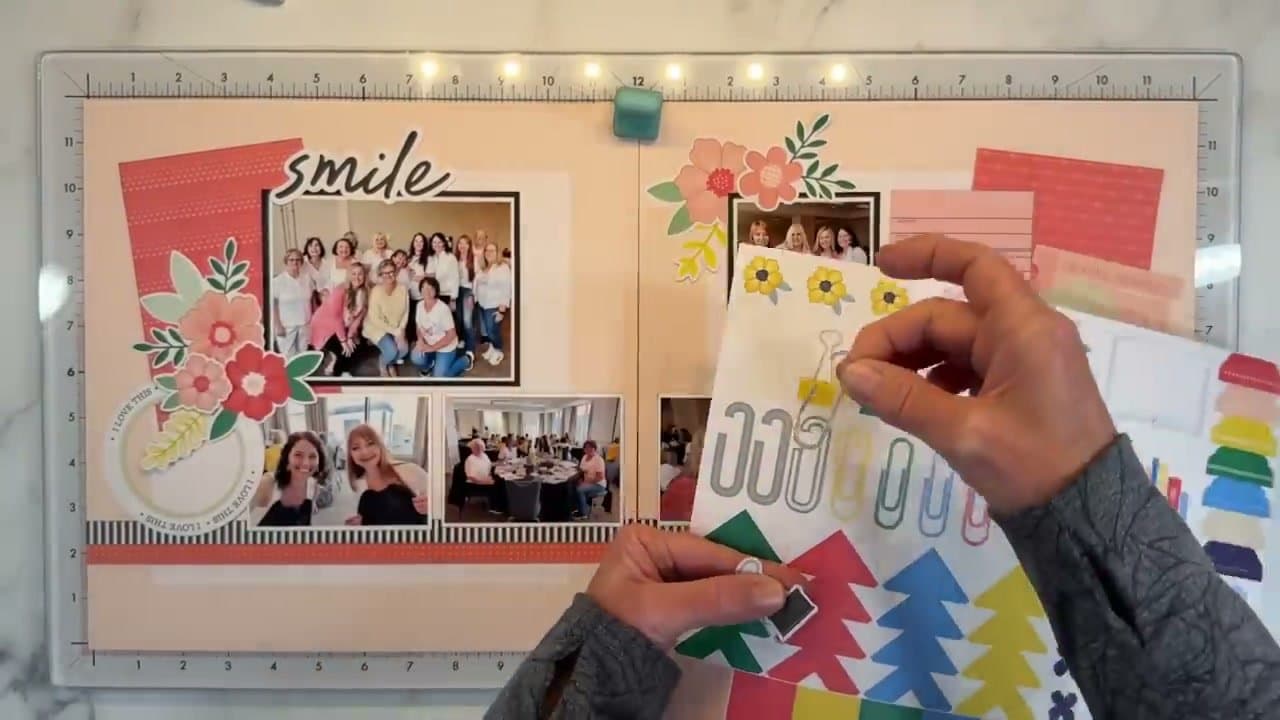
Build a third embellishment cluster on the opposite corner from the first one - flowers, leaves, a small label, a sticker - to balance the page visually. Once everything looks settled, glue down the photos and embellishments. Add a few lines of journaling on a small card if you want a written memory of the moment.

Tip

Take a photo of the layout with your phone before gluing. The phone's small screen is great for spotting balance problems your eye misses up close.

Products Used

Your Guide

Crafty Concepts with Erin

As an Amazon Associate we earn from qualifying purchases. Links on this page may be affiliate links - clicking them and buying doesn't change your price, but helps support ShowMeStepByStep.

Tags

Related Tutorials