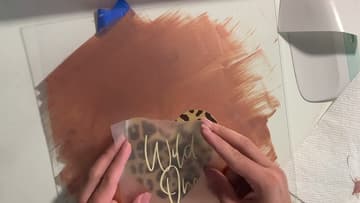
How to Layer SVG Files in Cricut
Source: Alexis Rose Creates | Crafting, DIYs, + Design • Full tutorial: www.craftingstepbystep.com/crafts/how-to-layer-svg-files-in-cricut
- Difficulty
- Medium
- Hands-on time
- About 45 minutes
- Cost
- About $5 to $15
- Makes
- 1 three-color vinyl decal

Tools
- Cricut cutting machine
- 12x12 StandardGrip mat
- weeding tool
- scraper tool
- painters tape
- parchment paper
Materials
- layered SVG file
- adhesive vinyl in three colors
- transfer tape
- blank to decorate (sign, mug or tumbler)
Steps
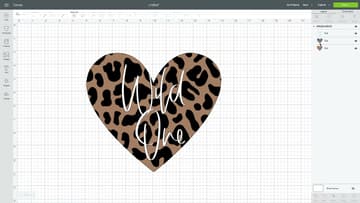
1. Check the Layers of the Leopard Heart SVG in Design Space
Upload the layered SVG and add it to the canvas. Alexis uses a heart with a tan base, brown leopard spots and cream "Wild One" lettering.
Tip: Size the whole group before anything else. Alexis sets it to 5 inches wide.
2. Click Make It and See One Mat for Each Vinyl Color
Click Make It. The Prepare screen lists one mat per color down the left side, three for this heart.
Tip: Design Space always makes one mat per color, grouped or not. More mats than you expected means near-identical shades: merge them in the Color Sync tab.
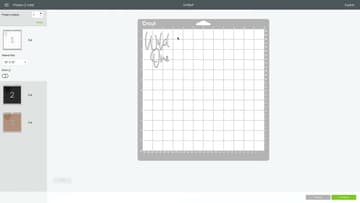
3. Move All Three Layers Onto One Cutting Mat
On the second mat, click the three dots beside the leopard layer and choose Move Object, then send it to mat one. Do the same with the tan heart from mat three.
Tip: Leave at least half an inch between pieces so a slightly crooked vinyl scrap still covers its cut.
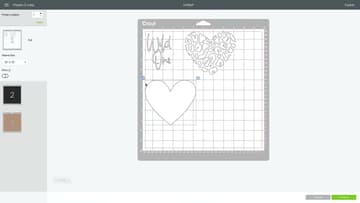
4. Lay Each Vinyl Color on the Mat Where Its Layer Sits
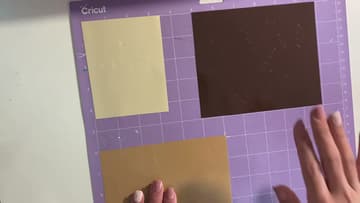
Cut a piece of each vinyl color a little bigger than its design. Using the grid on the mat, press each piece onto the squares where that layer sits on screen: cream for the lettering, brown for the spots, tan for the heart.
Tip: Use the same vinyl type for every piece, since one mat gets one cut setting.
5. Weed Each Vinyl Layer With a Weeding Tool
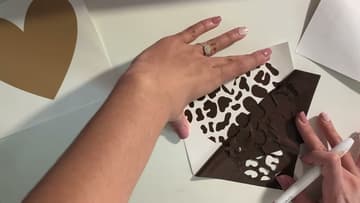
Peel the mat away from the vinyl, not the vinyl off the mat, so the vinyl stays flat. Then weed each layer: lift away everything that is not part of the design.
Tip: Bend the mat back gently. Bend it too hard and it can crease or snap.
6. Tape the Tan Heart Base Layer to the Table
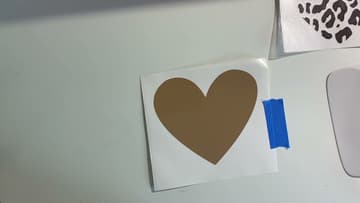
The tan heart is the base layer, the biggest piece that everything else sits on. Keep it on its backing and tape it to the table with painters tape so it cannot slide.
Tip: Painters tape lifts off cleanly and will not tear the vinyl backing.
7. Line Up the Leopard Layer Over the Base on Parchment Paper
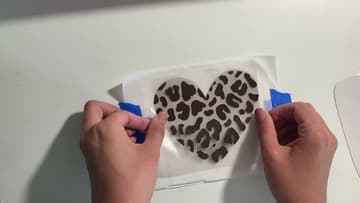
Put transfer tape on the weeded leopard layer and peel off its backing. Lay it on the parchment over the tan heart and slide it around until the edges line up all the way round.
Tip: Look straight down, not at an angle, when you check the edges.
8. Pull Out the Parchment and Press the Leopard Layer Down
Lift the leopard layer on its tape hinge, slide the parchment paper out, and lower the layer onto the tan heart. Because the hinge holds it in place, it lands exactly where you lined it up.
Tip: Peel transfer tape back low and flat against the design so small pieces stay down.
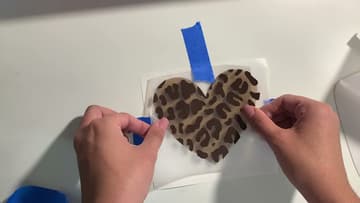
9. Apply the Layered Leopard Heart to the Painted Sign
Pick the combined heart up with transfer tape and press it onto your surface. Alexis uses a painted acrylic sign, but a mug, tumbler or wood plaque works the same way.
Tip: The same piece of transfer tape can be reused for the next layer.
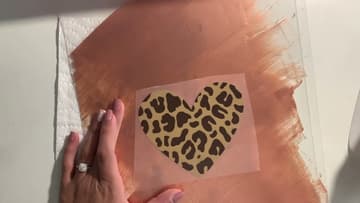
10. Add the Wild One Lettering Layer on Top of the Heart
The lettering is the last and easiest layer. Pick it up with transfer tape, line it up over the heart by eye, and press it down from the middle outward.
Tip: Small top layers rarely need parchment. Save that trick for big layers that have to match.