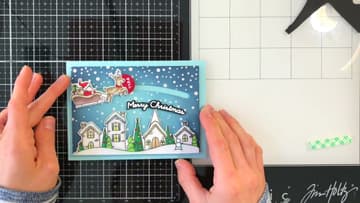
How to Make a Christmas Slider Card With Santa's Sleigh
Source: Nina-Marie Trapani • Full tutorial: www.craftingstepbystep.com/card-making/how-to-make-a-christmas-slider-card
- Difficulty
- Medium

Tools
- ink blending brushes
- palette knife
- die cutting machine
- slider or curved track die
- craft knife and metal ruler
- circle die set
- falling snow stencil
- Santa sleigh stamp set
- scissors
Materials
- light blue cardstock 100 lb
- white cardstock
- red cardstock
- blue and navy dye ink
- white embossing paste
- white glitter drops
- glossy accents
- markers for colouring
- foam tape
- double-sided tape
- 2 pennies
- A2 card base and envelope
Steps
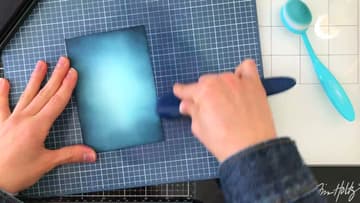
1. Ink Blend a Night Sky Panel for the Christmas Slider Card
Start with a panel of light blue cardstock. Blend a mid blue ink toward the middle, stopping short of the center so a soft glow stays there.
Tip: Keep one brush for each ink colour so the navy does not muddy the light blue.
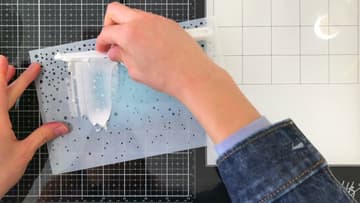
2. Spread Embossing Paste Through a Snow Stencil on the Night Sky
Tape the blended panel to the back of a falling snow stencil so nothing shifts. Scoop some white embossing paste onto a palette knife and spread it across the stencil.
Tip: Let the paste dry fully before you cut the slot. Wet paste smears and lumps snag the slider.
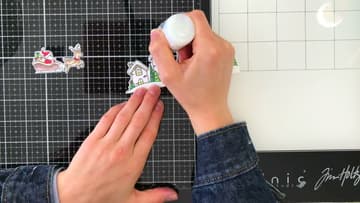
3. Add Glitter Drops to the Snowy Village Scene
The village and the Santa sleigh are stamped on white cardstock, coloured with markers and fussy cut. Dab white glitter drops over the snow on the hillside and along the roofs.
Tip: Any colouring tool works here. Markers, coloured pencils or watercolour all look good.
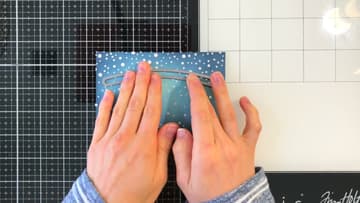
4. Die Cut the Curved Slot Track in the Christmas Card Panel
Lay the curved track die over the upper part of the sky and tape it down. Keep it high enough that the village will not cover the slot.
Tip: Check that the track runs the length you want the sleigh to travel before you cut.
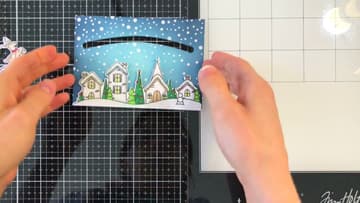
5. Attach the Village Scene Along the Bottom of the Slider Card
Put foam tape on the back of the village scene. Line it up along the bottom of the sky panel, under the slot, and press it down.
Tip: Trim the foam tape a little in from the edges so it does not show from the side.
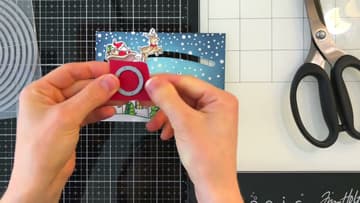
6. Cut a Red Circle Pull Tab for the Santa Sleigh
Cut a small circle from red cardstock with a circle die. A coin or a bottle cap traced with a pencil works fine too.
Tip: Make the tab big enough to pinch with a thumb and finger. Older hands will thank you.
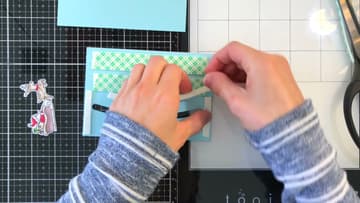
7. Build Foam Tape Walls Around the Slider Card Track
Turn the panel over. Cut small strips of foam tape and stick them around the slot to make a closed track.
Tip: Leave the liners on the outer foam strips for now. You will need them to mount the panel.
8. Stick Tiny Foam Pieces on the Pennies for the Slider
Cut two very small pieces of foam tape and press one onto each penny. They must be narrower than the slot so they move freely through it.
Tip: Pennies are the classic choice, but any flat coin or metal washer of the same size works.
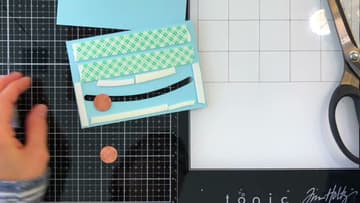
9. Attach the Santa Sleigh and Reindeer to the Pennies
Glue the red pull tab behind the reindeer with strong double-sided tape. It gets pulled often, so do not skimp.
Tip: If it catches, find the spot and trim the foam on the penny smaller.
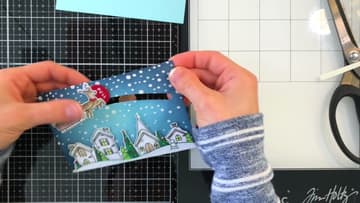
10. Mount the Panel and Add a Merry Christmas Sentiment
Stick the finished panel onto a light blue A2 card base with the foam walls. A blue that matches the sky ties it all together.
Tip: Keep the sentiment clear of the slot so it does not block the sleigh.